Releases · Bill-Stewart/SyncthingWindowsSetup · GitHub
Installation settings:
Online installation (download and install v2.0.8)
Install for current user (JOHNNYCAMELOT\fred)
Destination location:
C:\Users\fred\AppData\Local\Programs\Syncthing
Start Menu folder:
Syncthing
Configuration settings:
Automatic upgrades are disabled
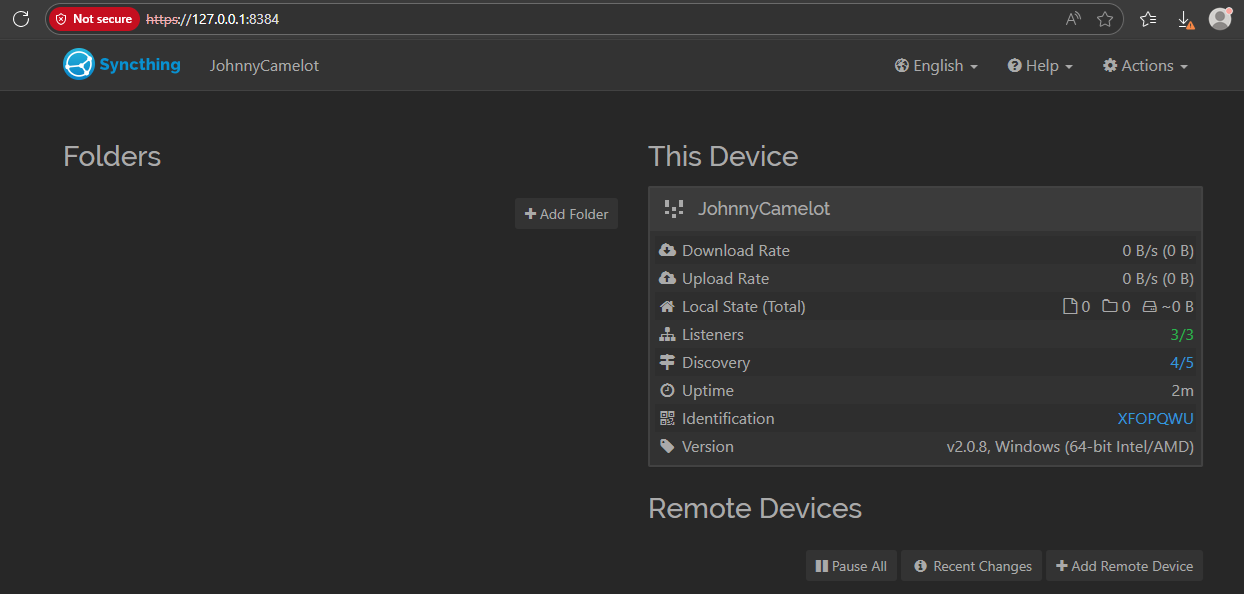
GUI configuration page listen address is 127.0.0.1
GUI configuration page listen port is 8384
Relays are enabled
Additional tasks:
Start Syncthing automatically when logging on
Start Syncthing after installation
Create desktop shortcut for Syncthing configuration page
Firewall config
# Allow Syncthing sync traffic
New-NetFirewallRule -DisplayName "Syncthing TCP" -Direction Inbound -Protocol TCP -LocalPort 22000 -Action Allow
New-NetFirewallRule -DisplayName "Syncthing UDP" -Direction Inbound -Protocol UDP -LocalPort 21027 -Action Allow

# (Optional) Allow Syncthing Web GUI (secure with password if exposed!)
New-NetFirewallRule -DisplayName "Syncthing GUI" -Direction Inbound -Protocol TCP -LocalPort 8384 -Action Allow
# Allow Syncthing sync traffic
New-NetFirewallRule -DisplayName "Syncthing TCP" -Direction Inbound -Protocol TCP -LocalPort 22000 -Action Allow
New-NetFirewallRule -DisplayName "Syncthing UDP" -Direction Inbound -Protocol UDP -LocalPort 21027 -Action Allow
# (Optional) Allow Syncthing Web GUI (secure with password if exposed!)
New-NetFirewallRule -DisplayName "Syncthing GUI" -Direction Inbound -Protocol TCP -LocalPort 8384 -Action Allow