Linux screenshot note: On at least two Lenovo systems, Print Screen appeared correctly bound in Keyboard settings but did not work until the screenshot shortcuts were manually reassigned. The entries looked unchanged afterward, but PrtSc then worked. Treat this as OS/desktop/hardware-specific, not a universal fix.
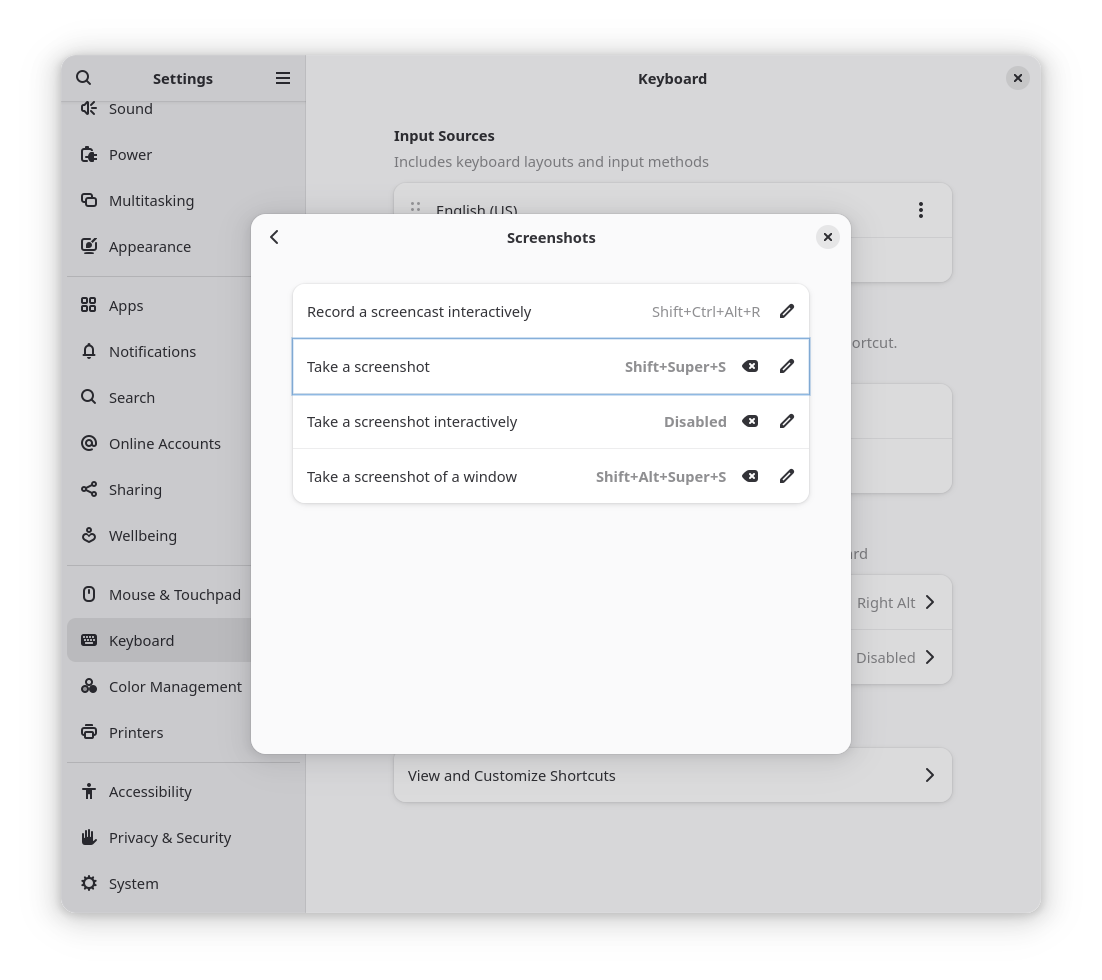
Update
On at least two Lenovo systems, the apparent Print Screen screenshot shortcut was not actually working. Rebinding the action to Shift+Super+S fixed it. After reassignment, the displayed shortcut text changed, which means the working binding was different from the original one.
From this screenshot, the current active mappings are:
-
Take a screenshot →
Shift+Super+S -
Take a screenshot interactively →
Disabled -
Take a screenshot of a window →
Shift+Alt+Super+S
This was a real keybinding change.
PrtSc on these Lenovos may not be arriving to GNOME as the expected screenshot key, while Shift+Super+S does.
- Log in to post comments