Guide to Exploration of Camelot Python Environment
A concise reference for inspecting and understanding the Python landscape on Camelot, including Jupyter Server’s REST API surface and module locations.
TL;DR
jupyter server --ip=0.0.0.0 --no-browser
tux@camelot:~$ jupyter server --ip=0.0.0.0 --no-browser
[I 2025-07-27 19:45:15.711 ServerApp] jupyter_lsp | extension was successfully linked.
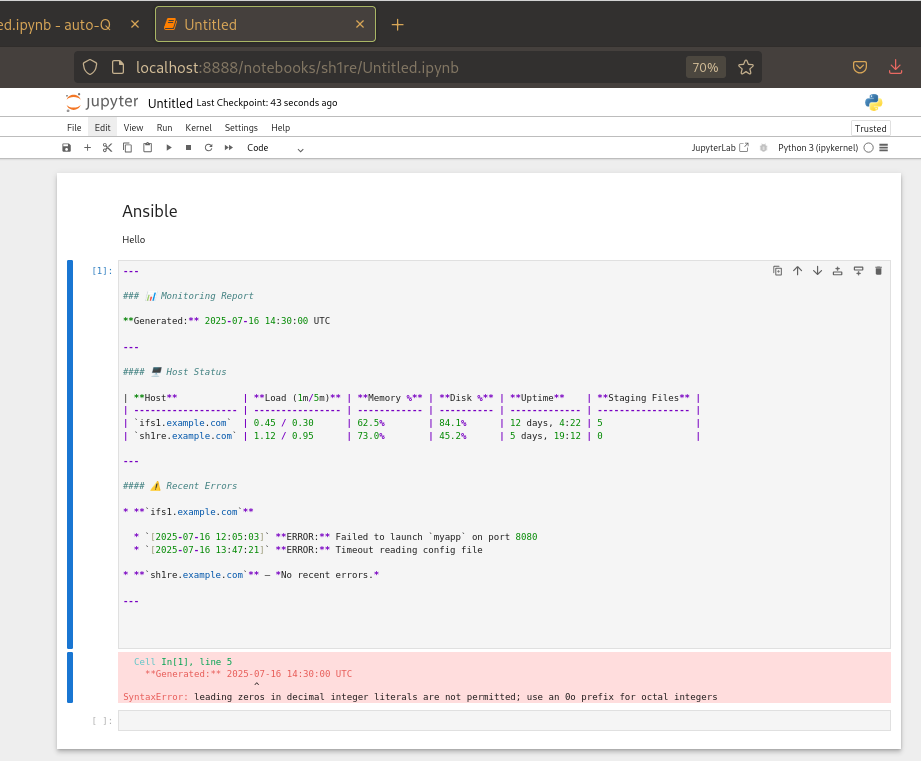
Ansible on Jupyter
Prerequisites
-
Access to the
camelotserver via SSH (user:tuxorjupyter). - Jupyter Server running locally on camelot port 8888
-
jqinstalled for JSON parsing (sudo dnf install -y jq).
1. Inspect Installed Python Packages
List all Jupyter-related and core packages:
pip3 list | grep -E 'notebook|jupyter|jupyter_server|python'tux@camelot:~$ pip3 list | grep -E 'notebook|jupyter|jupyter_server|python'
dbus-python 1.3.2
ipython 8.36.0
jupyter_client 8.6.1
jupyter_core 5.7.2
jupyter-events 0.11.0
jupyter-lsp 2.2.5
jupyter_server 2.15.0
jupyter_server_terminals 0.5.3
jupyterlab 4.4.0
jupyterlab_pygments 0.3.0
jupyterlab_server 2.27.3
libvirt-python 11.0.0
notebook 7.4.0
notebook_shim 0.2.4
python-augeas 1.1.0
python-dateutil 2.8.2
python-json-logger 2.0.4
python-linux-procfs 0.7.3
python-pam 2.0.2
systemd-python 235
2. Locate Package Source Directories
Find on-disk locations for key modules:
tux@camelot:~$ python3 - <<'PYCODE'
import notebook, jupyter_server, os
print("notebook module at:      ", os.path.dirname(notebook.__file__))
print("jupyter_server module at: ", os.path.dirname(jupyter_server.__file__))
PYCODE
notebook module at:       /usr/lib/python3.13/site-packages/notebook
jupyter_server module at:  /usr/lib/python3.13/site-packages/jupyter_server
Use these paths when browsing source or grepping for specific code patterns.
3. Enumerate REST Endpoints via OpenAPI
Jupyter Server exposes a full OpenAPI spec at /openapi.json. To list all available routes:
curl -s http://localhost:8888/openapi.json \
  | jq -r '.paths | keys[]' \
  | sort
This prints every API path (e.g., /api/contents/{path}, /api/kernels, etc.).
4. Drill into Tornado Handler Mappings
Rather than Flask Blueprints, Jupyter Server uses Tornado handlers. To see which regex maps to which Python class:
python3 - <<'PYCODE'
from jupyter_server import serverapp
app = serverapp.ServerApp()
app.initialize([])

# Default host_patterns and routes
host_patterns, default_handlers = (
    app.web_app.add_handlers.__wrapped__.__defaults__
)
for host_pat, routes in host_patterns:
    print(f"\nHost pattern: {host_pat}")
    for regex, handler in routes:
        print(f"  {regex.pattern:40} → {handler.__name__}")
PYCODE
This outputs lines like:
Host pattern: .*$
  /api/contents/(.*)           → ContentsHandler
  /api/kernels                  → KernelHandler
  ...
5. Search Source for Key Concepts
If you want to audit a concept (e.g., authentication, file I/O), grep inside the module directories:
grep -R --include="*.py" -n "Auth" "$(python3 - <<<'PYCODE'
import jupyter_server, os
print(os.path.dirname(jupyter_server.__file__))
PYCODE)"
Modify the search term for other patterns (e.g., ContentsHandler, FileManagerMixin, etc.).
6. Quick Python REPL Exploration
For ad-hoc introspection, start a REPL and import components:
python3
>>> from jupyter_server.serverapp import ServerApp
>>> app = ServerApp()
>>> app.initialize([])
>>> app.web_app.settings.keys()
>>> app.web_app.settings['kernel_manager_class']


tux@camelot:~$ python3
>>> from jupyter_server.serverapp import ServerApp
>>> app = ServerApp()
>>> app.initialize([])
>>> app.web_app.settings.keys()
>>> app.web_app.settings['kernel_manager_class']
Python 3.13.5 (main, Jun 12 2025, 00:00:00) [GCC 15.1.1 20250521 (Red Hat 15.1.1-2)] on linux
Type "help", "copyright", "credits" or "license" for more information.
>>>
This approach helps you poke at internal settings and configurations.
Now you have a turnkey guide for any explorer to map Camelot’s Python environment and Jupyter Server’s REST API — perfect for your Encyclopedia!
7. Running, Restarting, and Testing Jupyter Server
7.1 Check if Jupyter is running
# List Jupyter processes
ps aux | grep -E 'jupyter-(lab|notebook|server)' | grep -v grep

# Or check the systemd service (if enabled)
systemctl status jupyter
root@camelot:/home/tux/sh1re# ps aux | grep -E 'jupyter-(lab|notebook|server)' | grep -v grep
tux 56396 0.0 0.7 337684 99768 pts/4 Sl 18:46 0:01 /usr/bin/python3 -P /usr/bin/jupyter-lab --config=/home/jupyter/.jupyter/jupyter_server_config.py
tux 56857 0.1 0.6 185080 92752 pts/4 S+ 19:45 0:00 /usr/bin/python3 -sP /usr/bin/jupyter-server --ip=0.0.0.0 --no-browser
[1]+ Exit 1 nohup jupyter lab --config=/home/jupyter/.jupyter/jupyter_server_config.py
allison@frodo:~$ curl -kvvv http://camelot:8888/lab
* Host camelot:8888 was resolved.
* IPv6: (none)
* IPv4: 10.20.30.1
*   Trying 10.20.30.1:8888...
* connect to 10.20.30.1 port 8888 from 10.20.30.2 port 55576 failed: Connection refused
* Failed to connect to camelot port 8888 after 2 ms: Couldn't connect to server
* Closing connection
curl: (7) Failed to connect to camelot port 8888 after 2 ms: Couldn't connect to server
allison@frodo:~$
7.2 Start or Restart Jupyter
-
If running manually (from shell):
# Kill any leftover process if stuck pkill -f 'jupyter-server' # Start in the background nohup jupyter lab \ --config=/home/jupyter/.jupyter/jupyter_server_config.py \ & -
If using systemd:
sudo systemctl restart jupyter
sudo systemctl status jupyter
7.3 Verify Connectivity
-
Local curl test (on Camelot):
curl -i http://localhost:8888/lab tux@camelot:~$ curl -i http://localhost:8888/lab HTTP/1.1 302 Found Server: TornadoServer/6.4.1 Content-Type: text/html; charset=UTF-8 Date: Sun, 27 Jul 2025 23:39:37 GMT X-Content-Type-Options: nosniff Content-Security-Policy: frame-ancestors 'self'; report-uri /api/security/csp-report Location: /login?next=%2Flab Content-Length: 0-
See:
HTTP/1.1 302 Found
-
See:
-
Remote test (from another host):
curl -i http://camelot:8888/lab- Should see the same headers/content; if not, check firewall or binding.
-
Browser check:
-
Open
http://<camelot-host>:8888/labin your web browser. -
If prompted for password and you see the Lab interface, you’re good.
-
Open
Server App
Server App

python3 - <<'PYCODE'
from jupyter_server import serverapp
app = serverapp.ServerApp()
app.initialize([])

# Default host_patterns and routes
host_patterns, default_handlers = (
    app.web_app.add_handlers.__wrapped__.__defaults__
)
for host_pat, routes in host_patterns:
    print(f"\nHost pattern: {host_pat}")
    for regex, handler in routes:
        print(f"  {regex.pattern:40} → {handler.__name__}")
PYCODE

[I 2025-07-27 19:11:04.538 ServerApp] jupyter_lsp | extension was successfully linked.
[I 2025-07-27 19:11:04.540 ServerApp] jupyter_server_terminals | extension was successfully linked.
[I 2025-07-27 19:11:04.543 ServerApp] jupyterlab | extension was successfully linked.
[I 2025-07-27 19:11:04.545 ServerApp] notebook | extension was successfully linked.
[I 2025-07-27 19:11:04.687 ServerApp] notebook_shim | extension was successfully linked.
[I 2025-07-27 19:11:04.700 ServerApp] notebook_shim | extension was successfully loaded.
[I 2025-07-27 19:11:04.702 ServerApp] jupyter_lsp | extension was successfully loaded.
[I 2025-07-27 19:11:04.702 ServerApp] jupyter_server_terminals | extension was successfully loaded.
[I 2025-07-27 19:11:04.704 LabApp] JupyterLab extension loaded from /usr/lib/python3.13/site-packages/jupyterlab
[I 2025-07-27 19:11:04.704 LabApp] JupyterLab application directory is /usr/share/jupyter/lab
[I 2025-07-27 19:11:04.704 LabApp] Extension Manager is 'pypi'.
[I 2025-07-27 19:11:04.712 ServerApp] jupyterlab | extension was successfully loaded.
[I 2025-07-27 19:11:04.714 ServerApp] notebook | extension was successfully loaded.
[I 2025-07-27 19:11:04.715 ServerApp] The port 8888 is already in use, trying another port.
Traceback (most recent call last):
  File "<stdin>", line 7, in <module>
AttributeError: 'function' object has no attribute '__wrapped__'
tux@camelot:~$
7.4 Troubleshooting Tips
-
No response / Connection refused: Ensure Jupyter is bound to 0.0.0.0 or localhost as expected. Check
c.ServerApp.ipin your config. -
Authentication errors: Re-run
jupyter server passwordto reset your password hash. -
Firewall issues: Re-verify with
firewall-cmd --list-portsthat 8888/tcp is open. -
Logs: When run via systemd, view logs with:
journalctl -u jupyter -f